




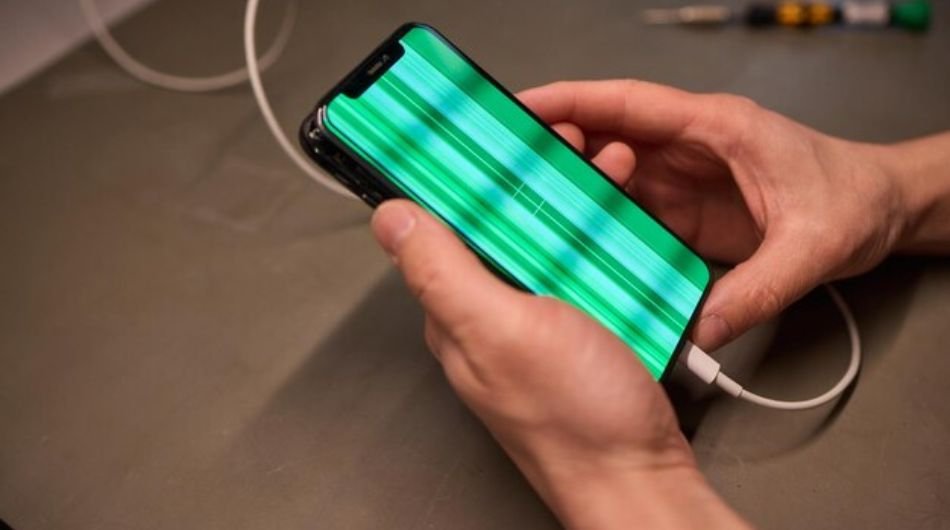
A green line appearing on your phone screen can be frustrating, confusing, and even a little alarming, especially when your device was working perfectly just moments before. This issue typically shows up as a thin vertical or horizontal line running across the display. In some cases, it remains constant, while in others, it may flicker or become more visible under certain brightness levels or backgrounds.
This green line issue has become increasingly common in modern smartphones, particularly those with OLED or AMOLED displays. Many users report noticing it right after a software update, while others encounter it after accidental drops, exposure to moisture, or prolonged overheating.
What makes this problem more concerning is that it can appear without any warning signs. One moment your screen is perfectly fine, and the next, a bright green line disrupts your entire viewing experience, whether you’re scrolling through social media, watching videos, or simply unlocking your phone.
Why Does the Green Line Occur?
The green line problem is generally caused by either software glitches or hardware damage. If it appears right after a software update, it’s likely due
- The green line problem is generally caused by either software glitches or hardware damage. If it appears right after a software update, it’s likely due to
- The green line issue is usually caused by software glitches or hardware damage.
- If it appears after a software update, it may be due to display driver bugs or incorrect screen calibration.
- Modern OLED/AMOLED screens use red, green, and blue pixels, and a malfunction in green pixels can create a visible line.
- Recently installed apps or changes in display settings can also trigger this issue by causing software conflicts.
- These conflicts can affect how the screen displays visuals, leading to abnormal lines.
- Physical damage is another major reason behind this problem.
- Dropping the phone, water exposure, or overheating can damage internal components.
- A loose or damaged connection between the display and motherboard can result in a permanent green line.
- If the line appears during startup or the boot screen, it is most likely a hardware failure.
Steps to Remove the Green Line
- Start by restarting your phone. Turn it off completely, wait a few minutes, and turn it back on. This simple step can fix temporary glitches.
- Next, uninstall any recently installed apps. If the issue started after installing a new app, removing it may solve the problem. Also, undo any recent display setting changes.
- Boot your phone in safe mode. This disables third-party apps and helps you identify if an app is causing the issue. If the line disappears in safe mode, an app is likely responsible.
- Check for system updates. Sometimes updates introduce bugs, but they also bring fixes. Installing the latest update may resolve the issue.
- If the problem continues, try a factory reset. This removes all data and restores your phone to its original state, so make sure to back up your data first. This step can fix deeper software-related issues.
If none of these methods work, the problem is likely hardware-related. In that case, visiting an authorised service centre is the best option. You may need a screen repair or replacement.
How to Prevent the Green Line Issue
- Prevention is always better than repair. Avoid using your phone while it is overheating, especially during charging. Heat can damage display components over time.
- Do not update your phone while it is charging or in a hot environment. Always ensure your device has enough battery and is placed on a cool surface during updates.
- Avoid dropping your phone or exposing it to water, as physical damage is one of the leading causes of display issues.
- Use original chargers and accessories to maintain stable power flow and prevent internal damage.
- Keep your apps and system updated, but also check user feedback before installing major updates to avoid known bugs.
By following these precautions and troubleshooting steps, you can not only fix the green line issue but also reduce the chances of it happening again.
However, there’s no need to panic. In many cases, the green line is not a permanent defect and can be resolved with simple troubleshooting steps. Understanding what causes it and how to fix it is the first step toward restoring your phone’s display.